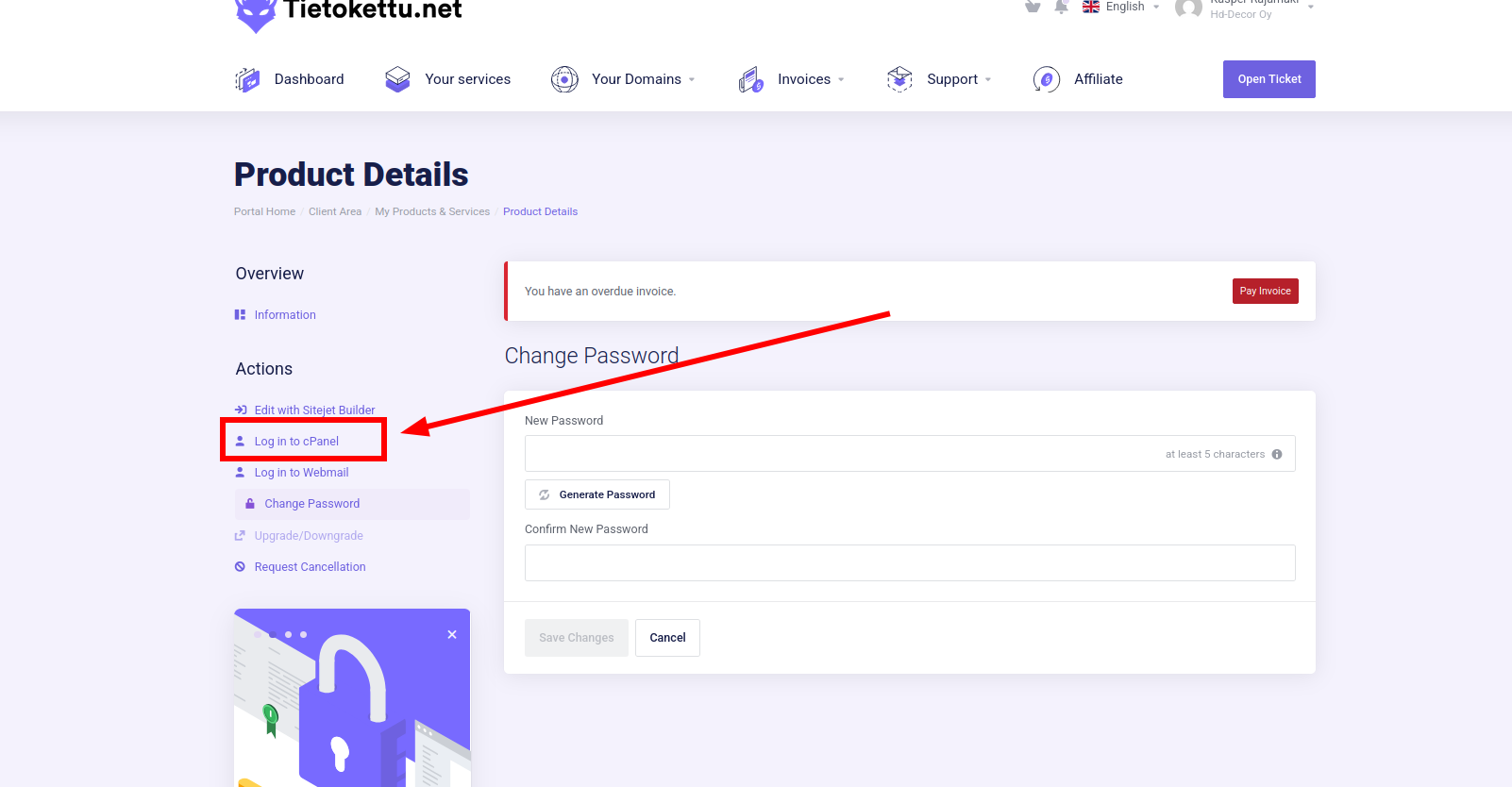



In this guide, we will look at how to change your cPanel password.
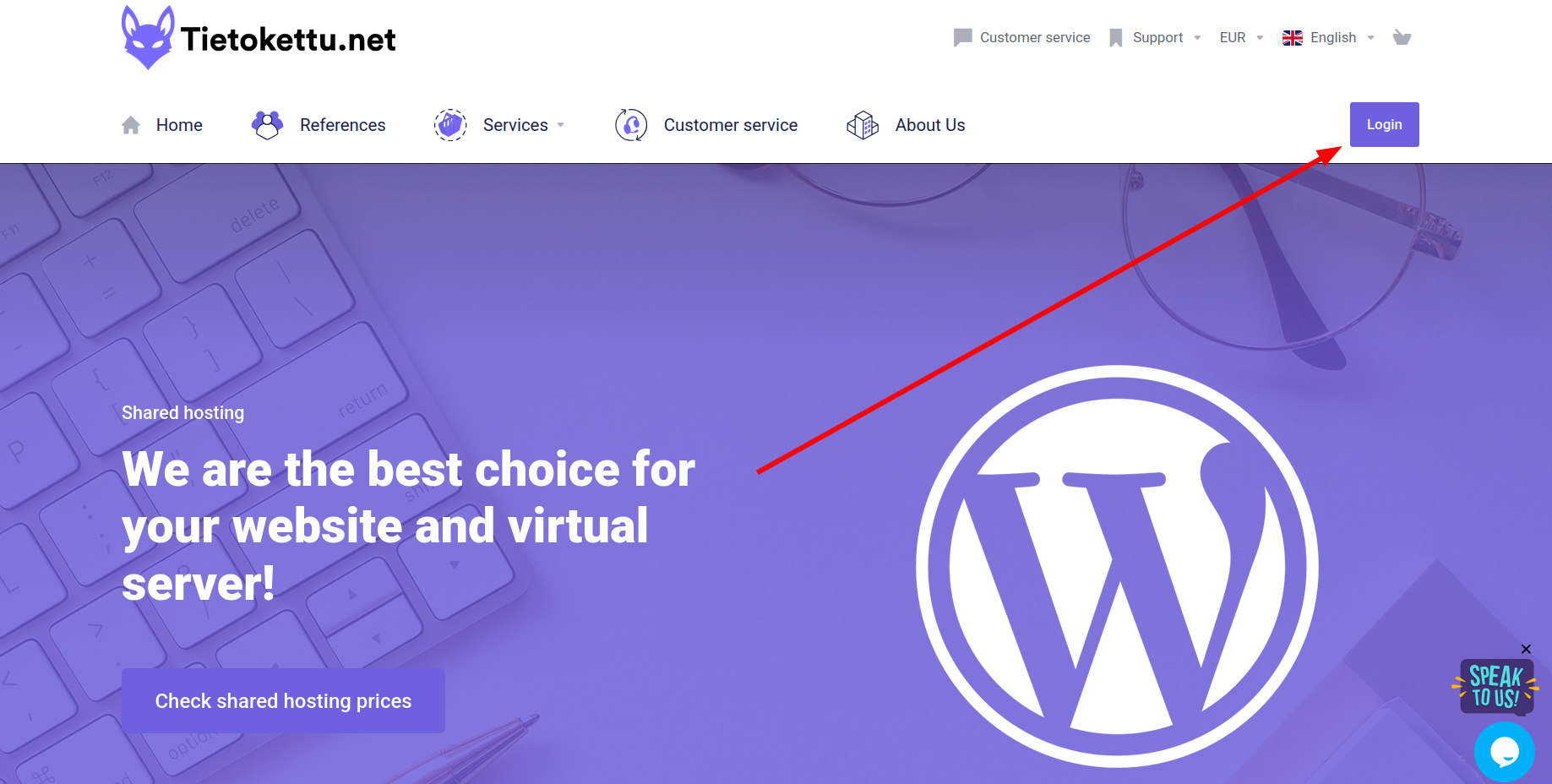
- Let's start by logging into the Tietokettu client area:
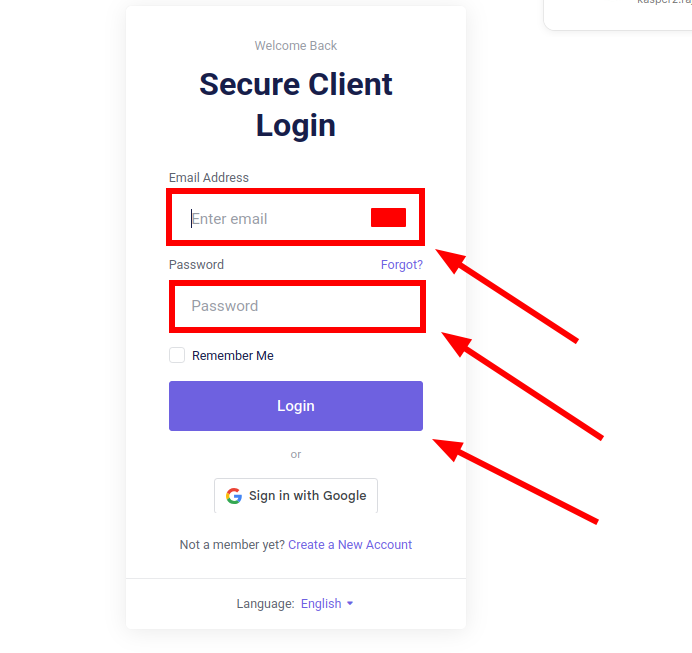
- Next, log in
- Next, click the 'Manage' button next to your web hosting plan:
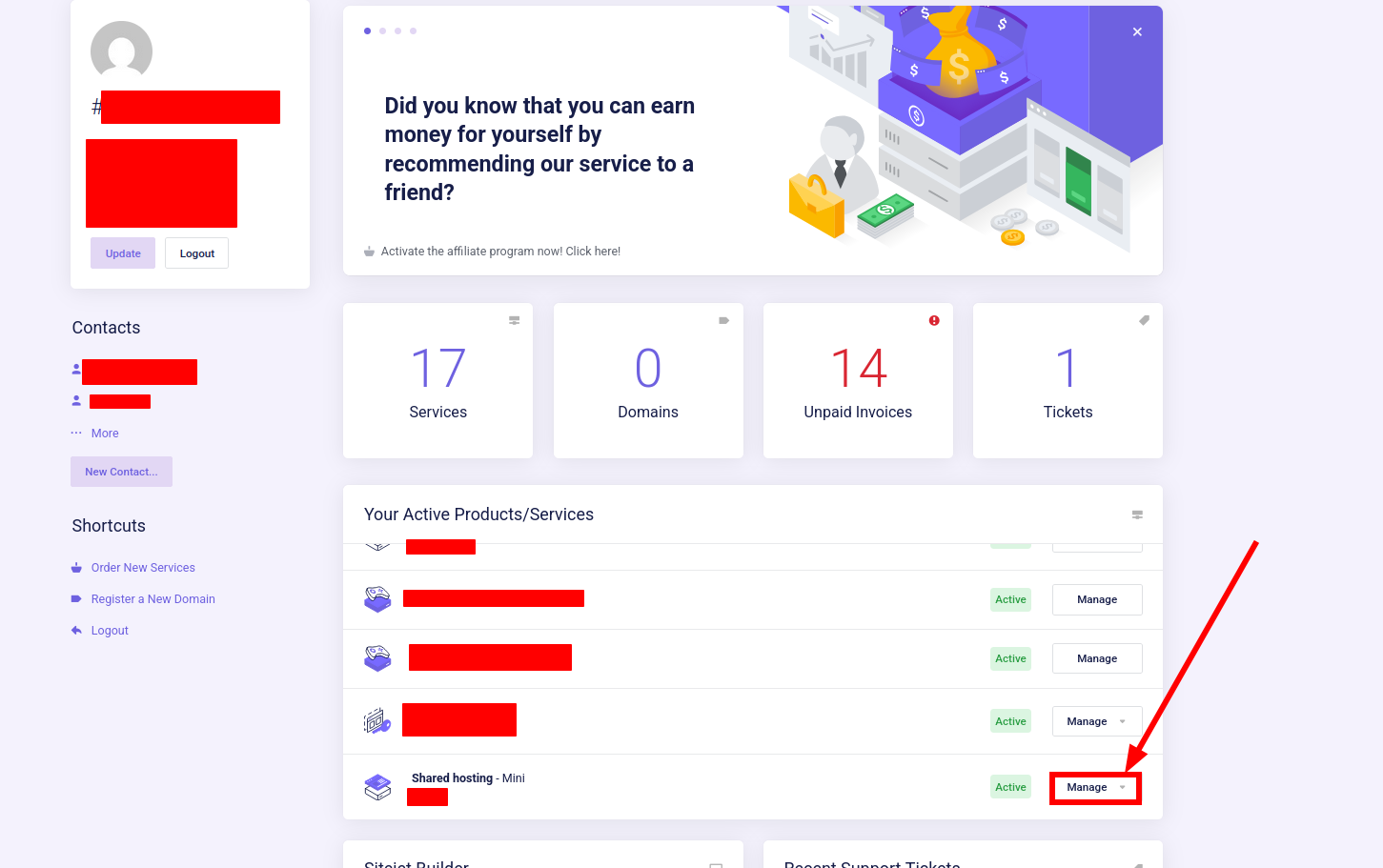
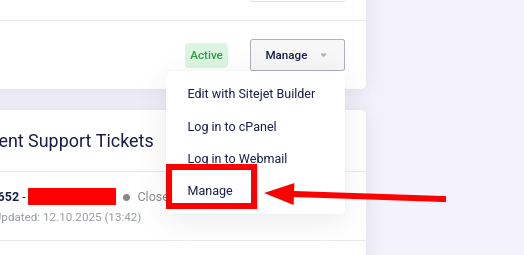
- Next, click 'Manage' again:
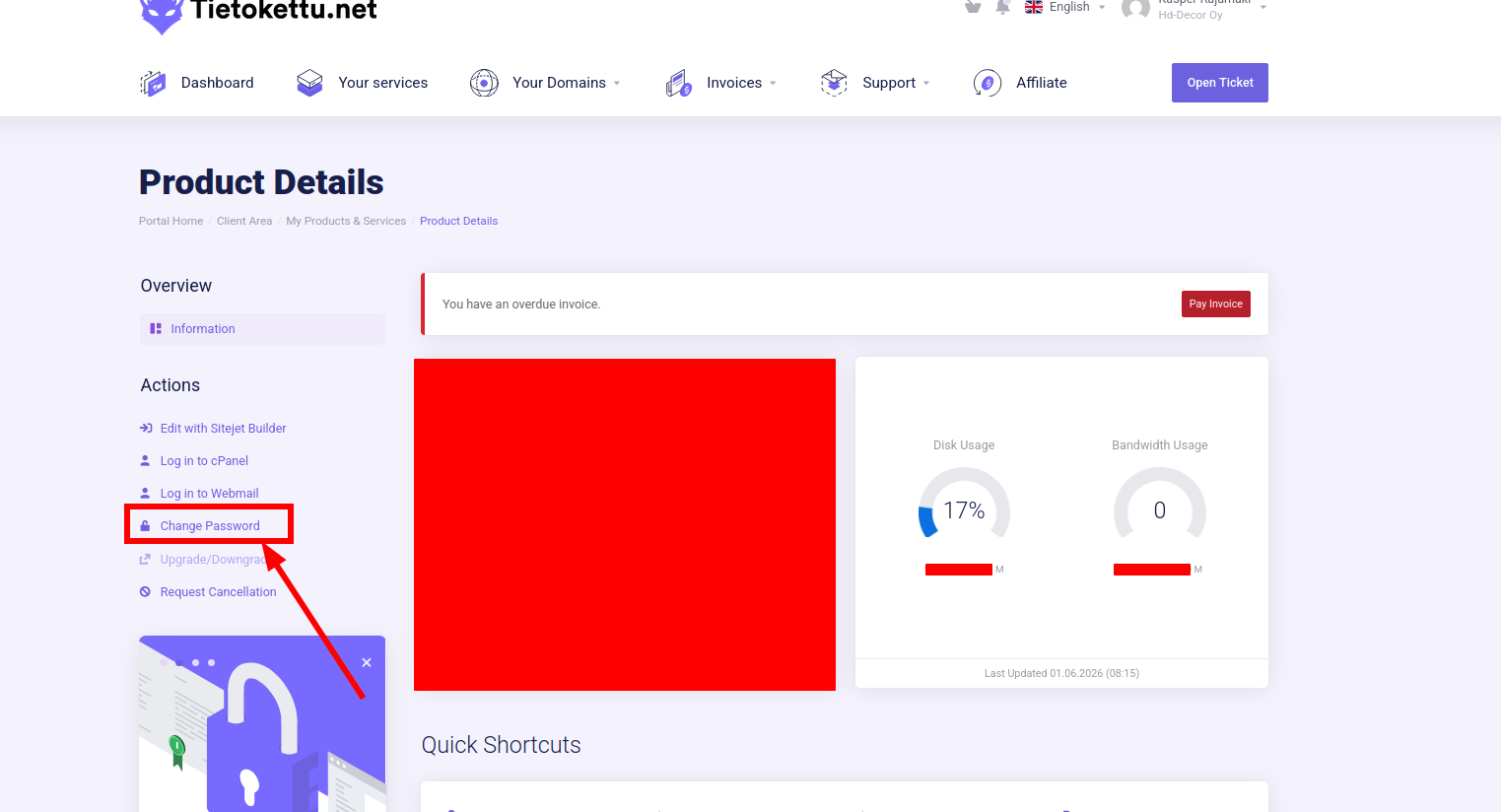
- Next, click on 'Change Password':
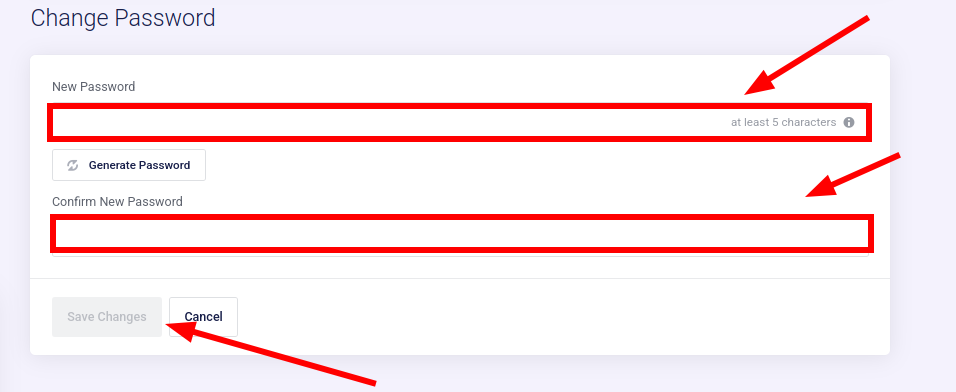
- Next, enter your new password:
- Next, try logging in by clicking 'Log in to cPanel' or go to https://cpanel.tietokettu.net/. (You can find your username for the cPanel login in the email sent to you when you placed your order.)